Stadium plan and seating plan for your ticket sales
Draw your stadium, sports hall or venue yourself in Clubwise: sections, rows, numbering and prices per target group. Visitors choose their seat on a plan they recognise, and the box office sells from the same seats.
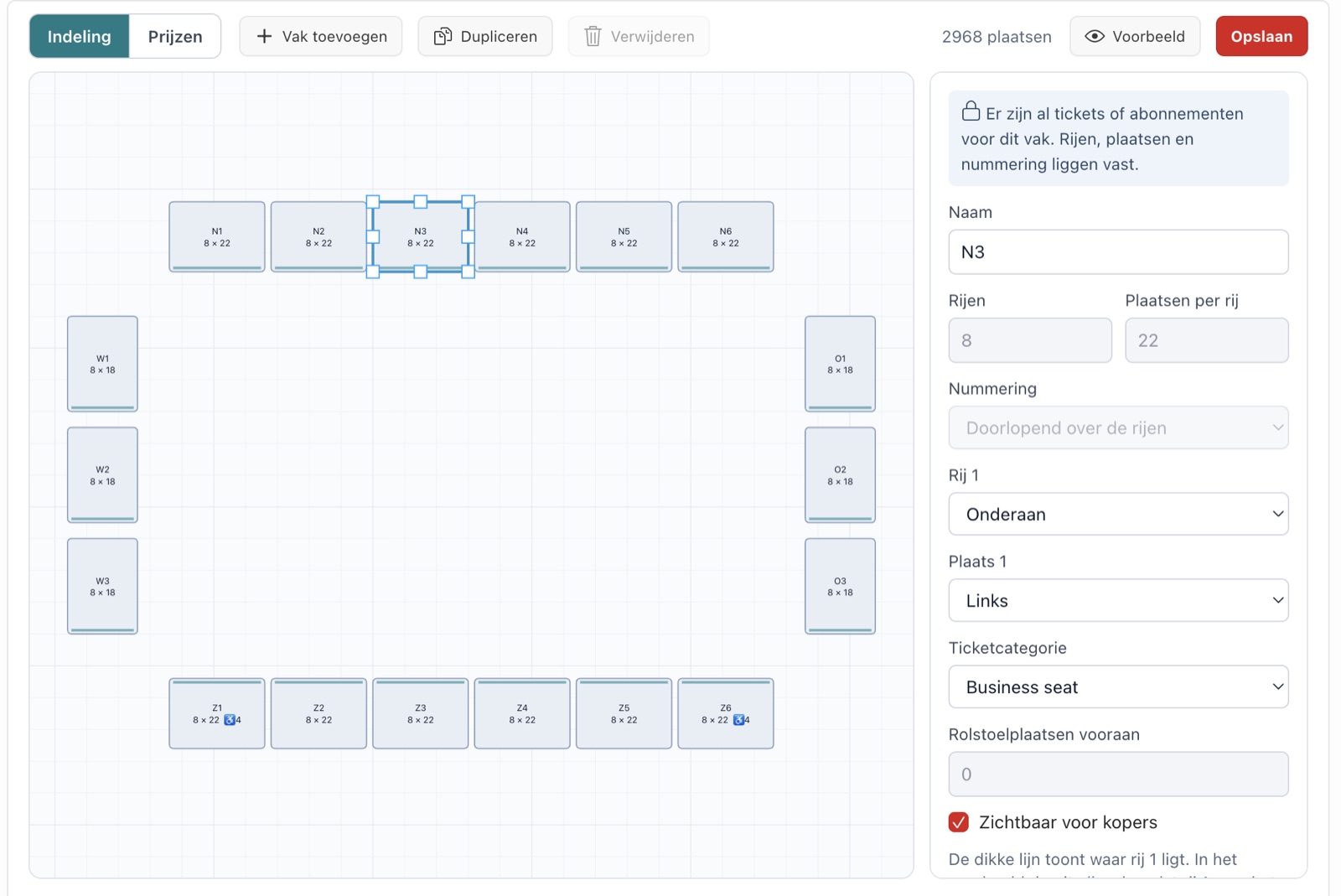
Your plan, without a designer or developer.
Add a section, drag it and resize it. Then fill in the rows, the numbering and the prices.
Sections and rows
Per section the number of rows and seats per row. A section that looks like another one, you duplicate with one click.
Numbering as in real life
Choose where row 1 is, where seat 1 starts and whether the numbering runs per row or continuously.
The field in the middle
Football, basketball, hockey, volleyball, handball, tennis or a stage. So everyone recognises right away where they are sitting.
Prices per target group
Per section a price for adults, youth or children, with the VAT rate. For several sections at once.
Seats for the box office only
Wheelchair spaces or invitations are sold only at the box office. In the Ticket App they show as taken.
Key figures and checks
The number of seats, sections and wheelchair spaces, and a warning for sections without a price.
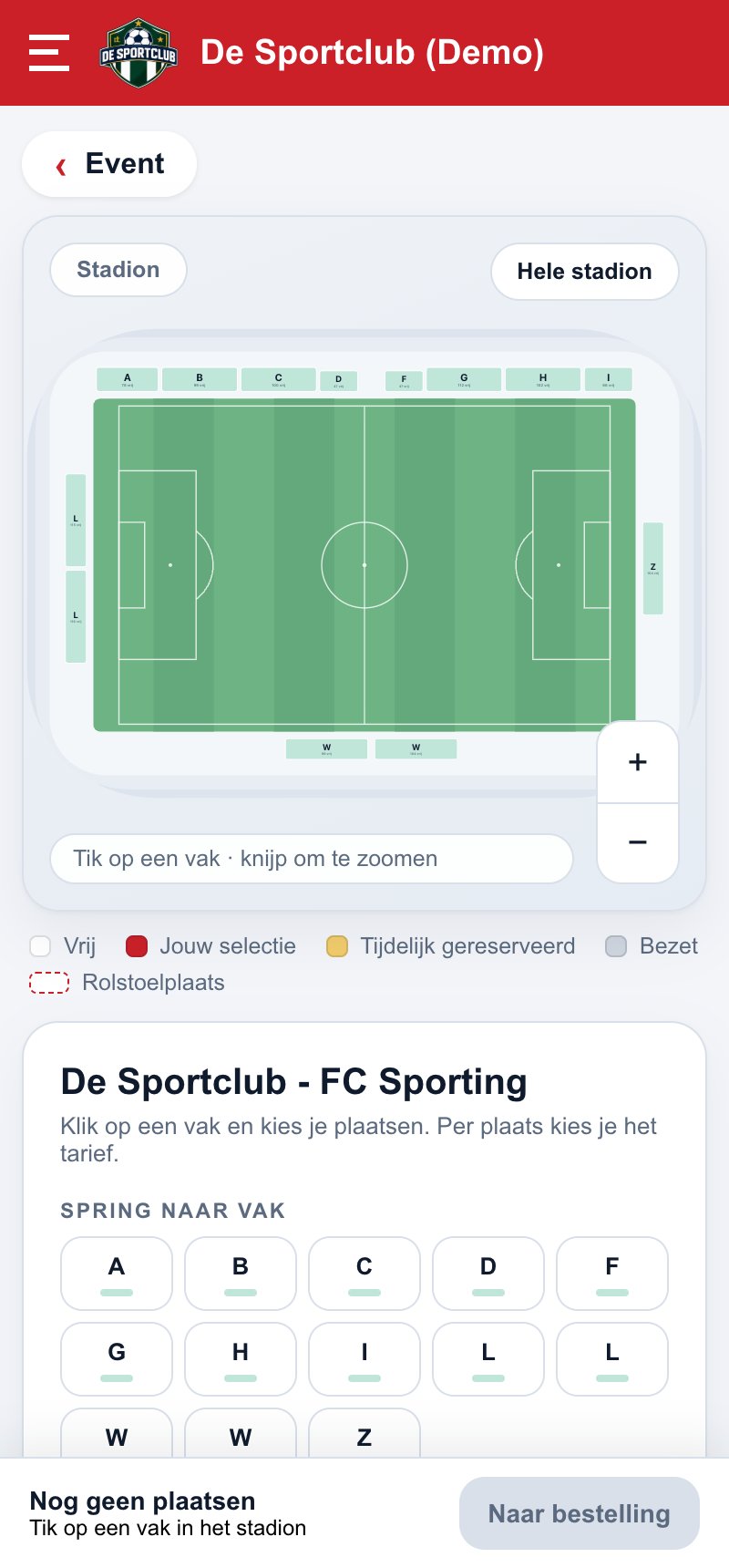
Visitors choose their seat on a plan they know.
First the whole stadium or venue, then the section, then the seat. Each section turns so that row 1 faces the pitch or the stage. You see free and taken seats live.
The number of free seats per section
Jump straight to a section
The seat stays reserved while paying
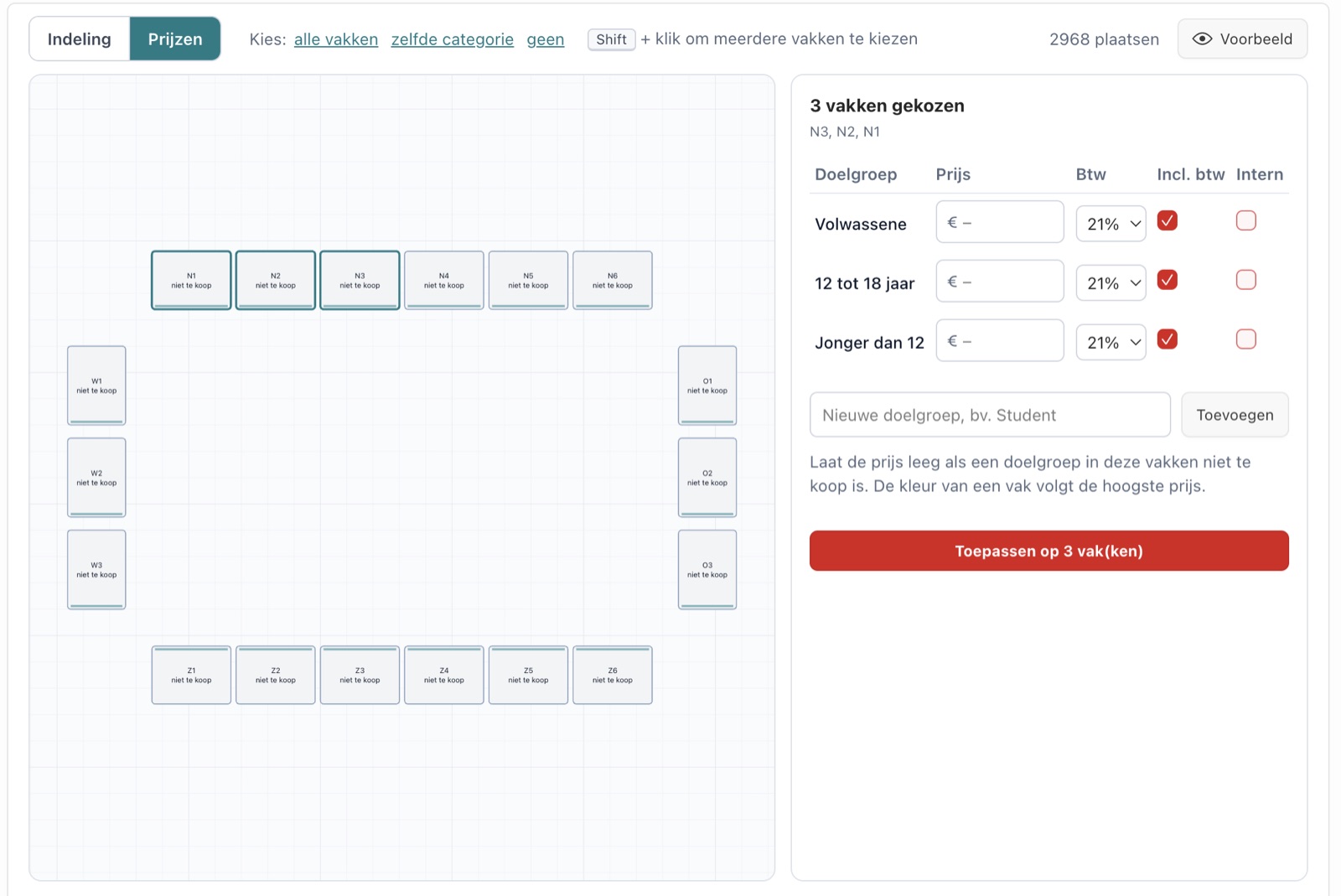
Fill in once, for all selected sections.
Choose one or more sections and fill in the price per target group, with the VAT rate and whether the price includes VAT. The prices apply to new events at that location, and you can still adjust them per event.
Several sections at once
Internal rates, only at the box office
An empty price means that target group cannot buy in that section
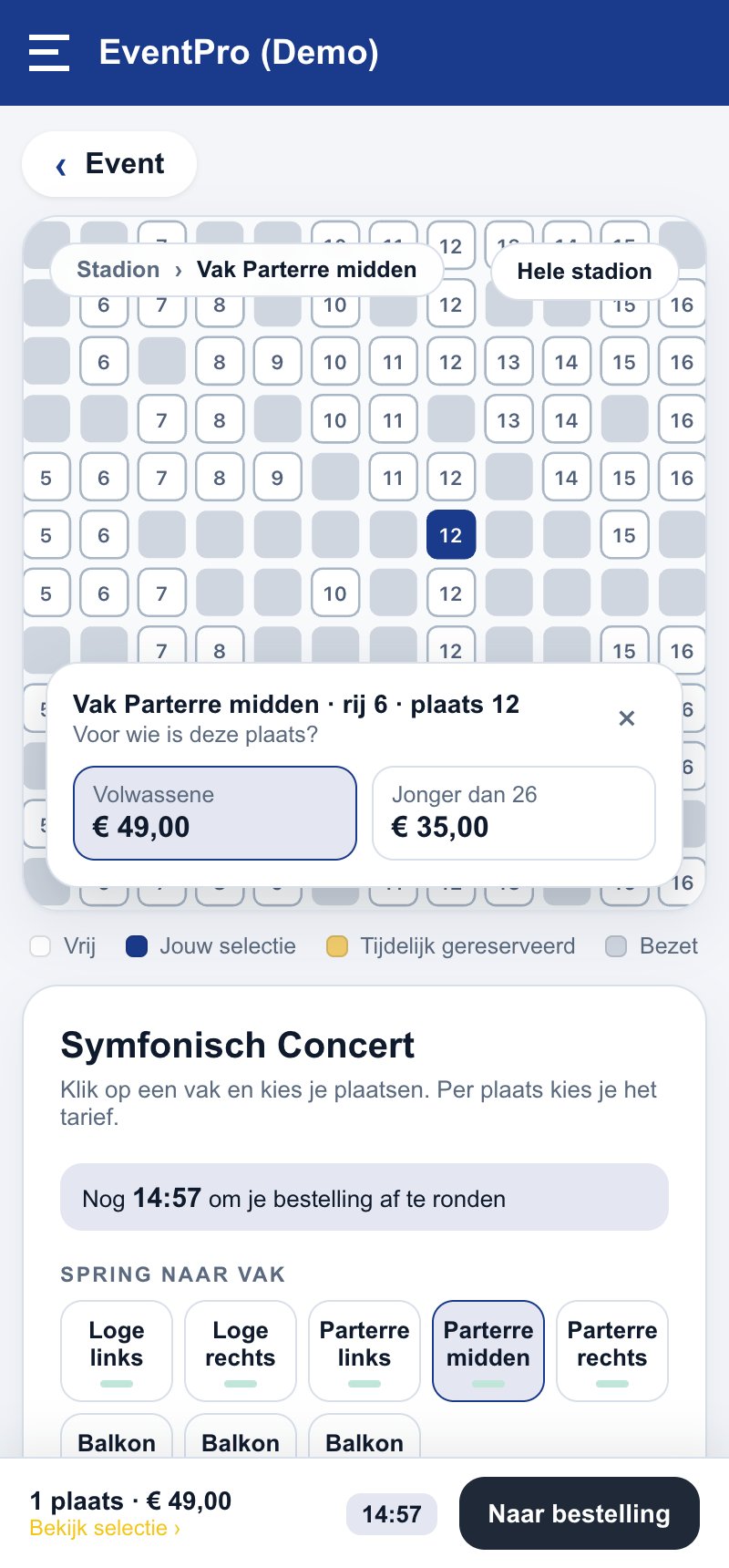
Also for a venue with a stage.
Drawing boxes, stalls and balcony works the same way. At a concert or show the visitor chooses their seat and the rate, just like in a stadium.
Stage in the plan
Rates per seat
Same box office and scanner as for sport
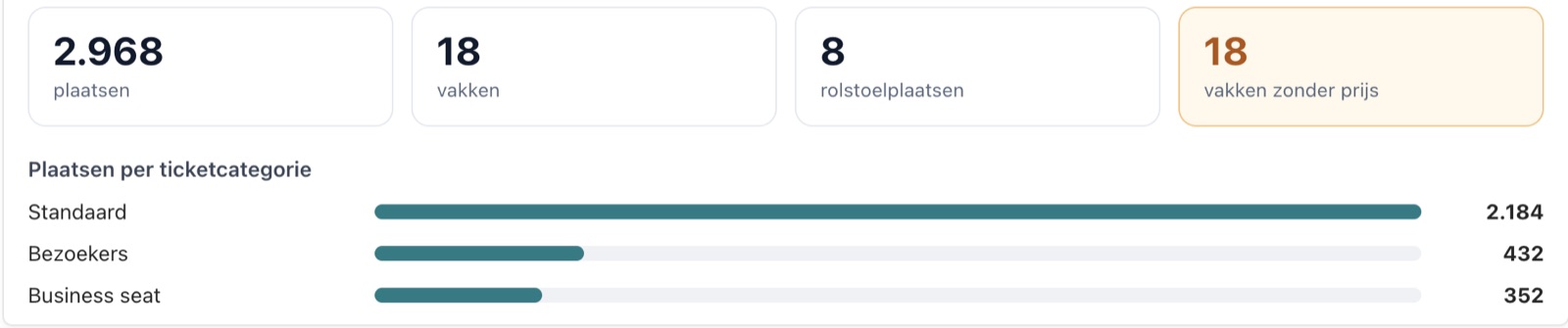
You see right away whether everything is ready for sale.
At the top of the location you see the key figures: the number of seats, sections and wheelchair spaces, the seats per ticket category and how many sections still have no price.
No stand forgotten before sales open
Rows and numbering are fixed once there are tickets
A section you no longer need: make it invisible instead of deleting it
Frequently asked questions.
No. You draw it yourself in the Clubwise back office: add sections, drag them, fill in rows and numbering. A section that looks like another one, you duplicate.
Yes. In the middle of the plan you choose the field: football, basketball, hockey, volleyball, handball, tennis, a stage or nothing.
Prices and visibility yes. Rows, seats and numbering of a section are fixed once there are tickets or season tickets for it, so nobody loses their seat.
A wheelchair space is a wide seat on the plan. Set it to internal and you sell it only at the box office, while the Ticket App shows it as taken.
The stadium plan and seating plan are included in the Pro package and higher, from € 149 per month. All prices are on the prices page.
Your own plan in Clubwise?
In 30 minutes we show you how to draw your stadium or venue and sell your first event.