
Part 8 of 12, Contacts
Adding and editing an address
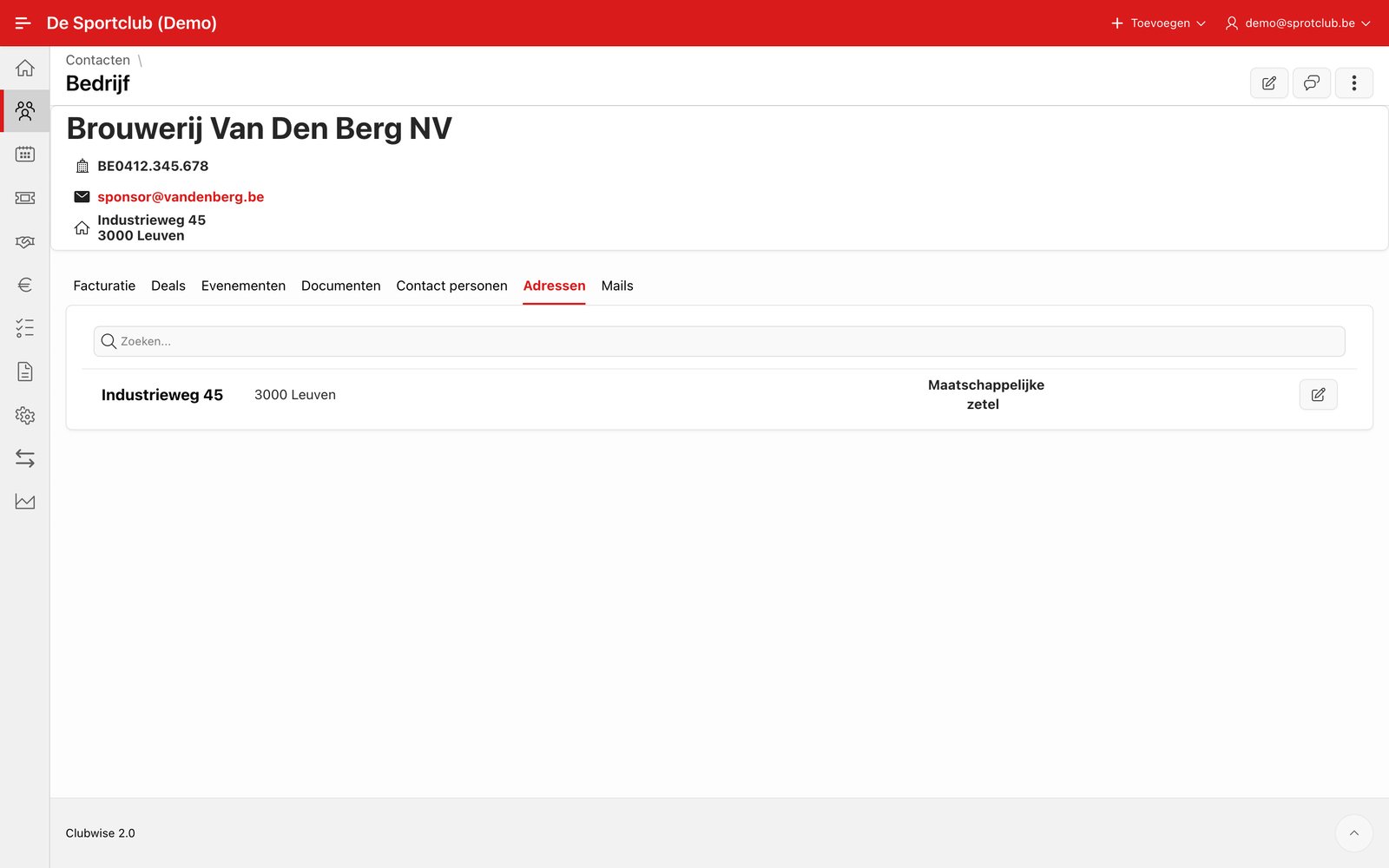
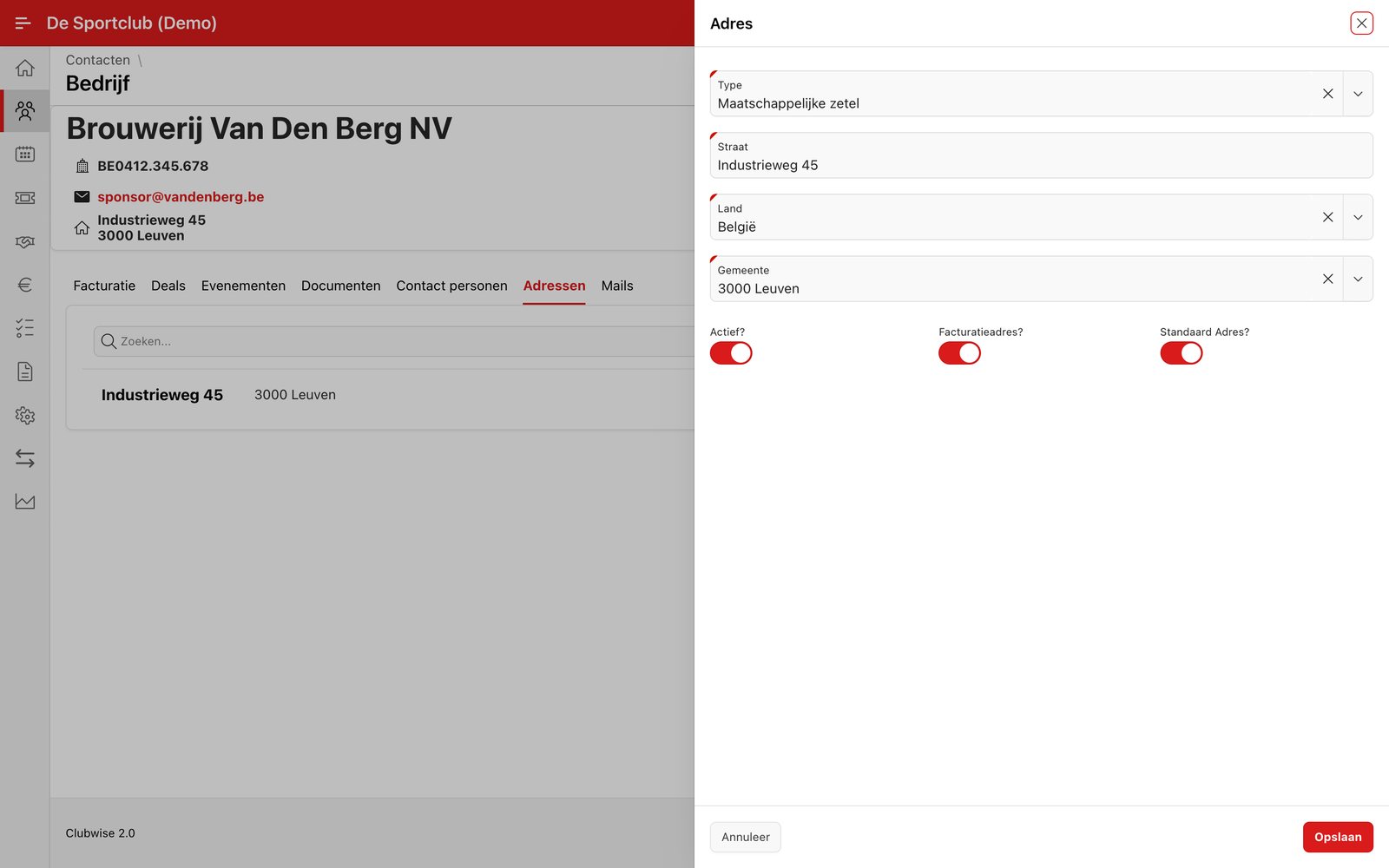
Go to the tab Addresses for an overview of all addresses of a contact, each with its type (e.g. Registered office, Delivery address, Home). Click the pencil icon to edit an existing address, or choose “Add address” in the ⋮ menu for a new address.
No address field in the customer list? That's right, the address is not a column in the customer list. First open the customer (the company or the person) and then go to the tab Addresses. There you manage all addresses of that contact.
Did this answer your question?
Thanks for your feedback!