
Manual / Finance & invoicing / Actions on an invoice
Part 6 of 9, Finance and invoicing
Actions on an invoice
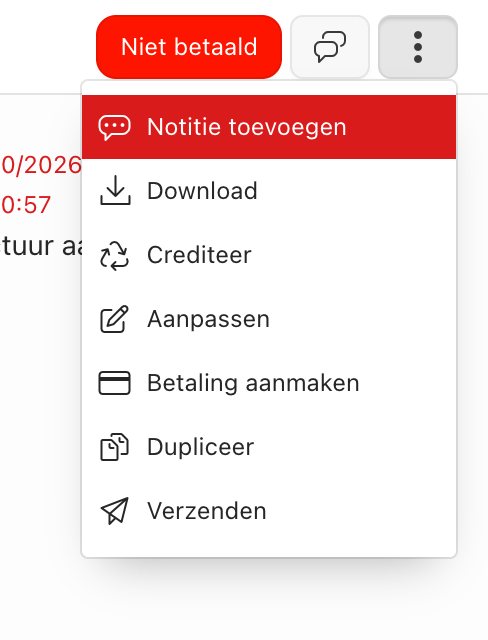
Through the ⋮ menu at the top of an invoice you can:
- Download — get the PDF of the invoice.
- Credit — create a credit note for this invoice (e.g. for a wrong amount or a cancellation).
- Create payment — register a payment manually (e.g. for a bank transfer outside the system).
- Duplicate — make a copy as the basis for a new invoice.
- Send — (re)send the invoice to the customer by e-mail.
Tip: A credit note is recognisable in the invoice list by the prefix “CN_” and a negative amount.
← Previous articleFollowing up, downloading and crediting an invoiceNext article →Payment reminders for outstanding invoices
Did this answer your question?
Thanks for your feedback!